Store
Track the stock you buy: quantity, cost, and what is about to expire.
Read the list
Each row is one stock item with its SKU, status (Active or Discontinued), unit, quantity, minimum, maximum, reorder level, and package details. The quantity is the amount you have now.Add a store item
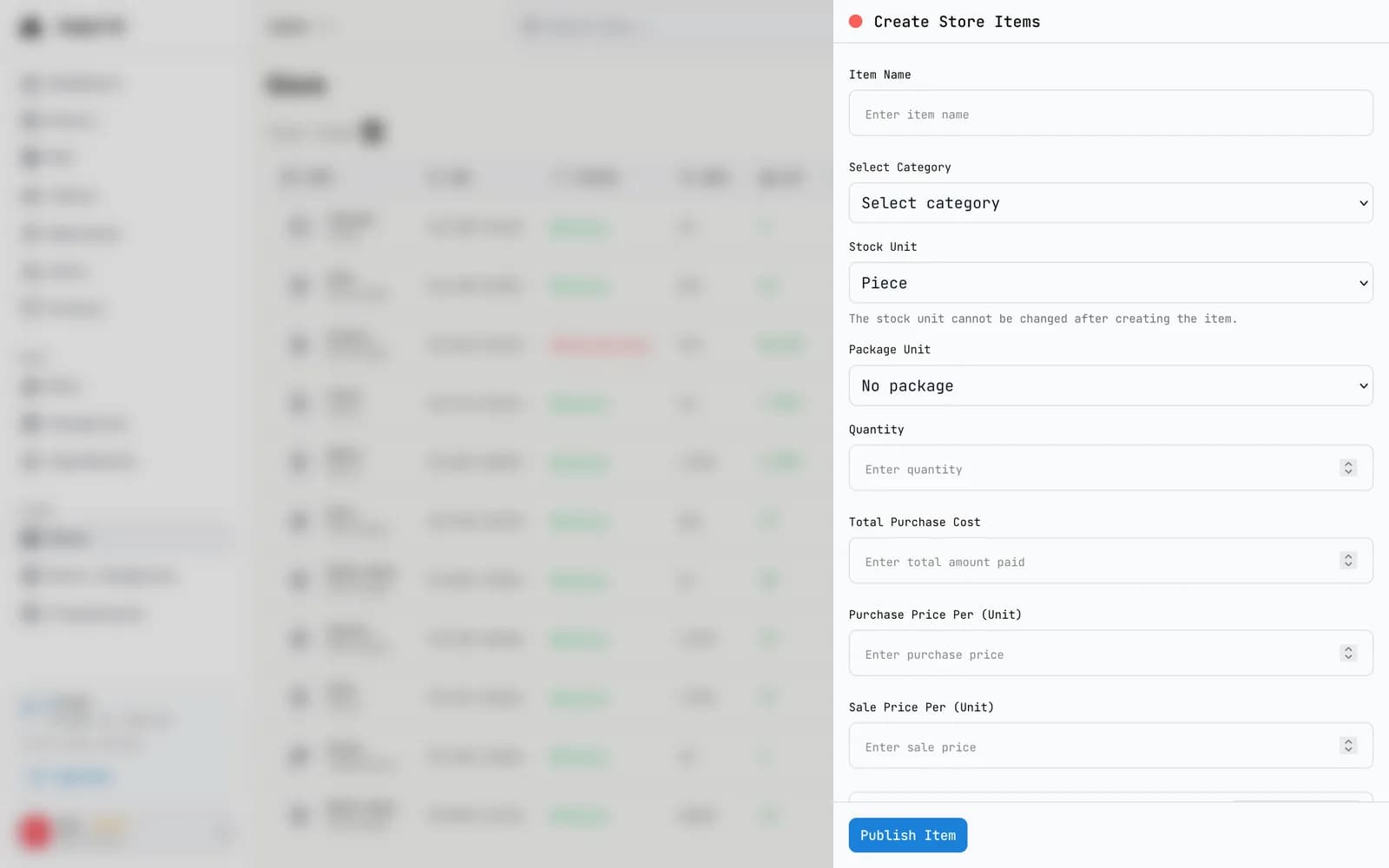
Follow these steps to add an item to your store.- 1Select Add.
- 2Enter the Item Name and choose a Category.
- 3Choose the Stock Unit, such as Piece, Kg, or Liter.
- 4Choose a Package Unit if you buy in boxes or dozens. Otherwise keep No package.
- 5Enter the Quantity, Total Purchase Cost, Purchase Price per unit, and Sale Price per unit.
- 6Select Publish Item.